Black Friday Offer live!

Days
Hours
Minutes
Seconds

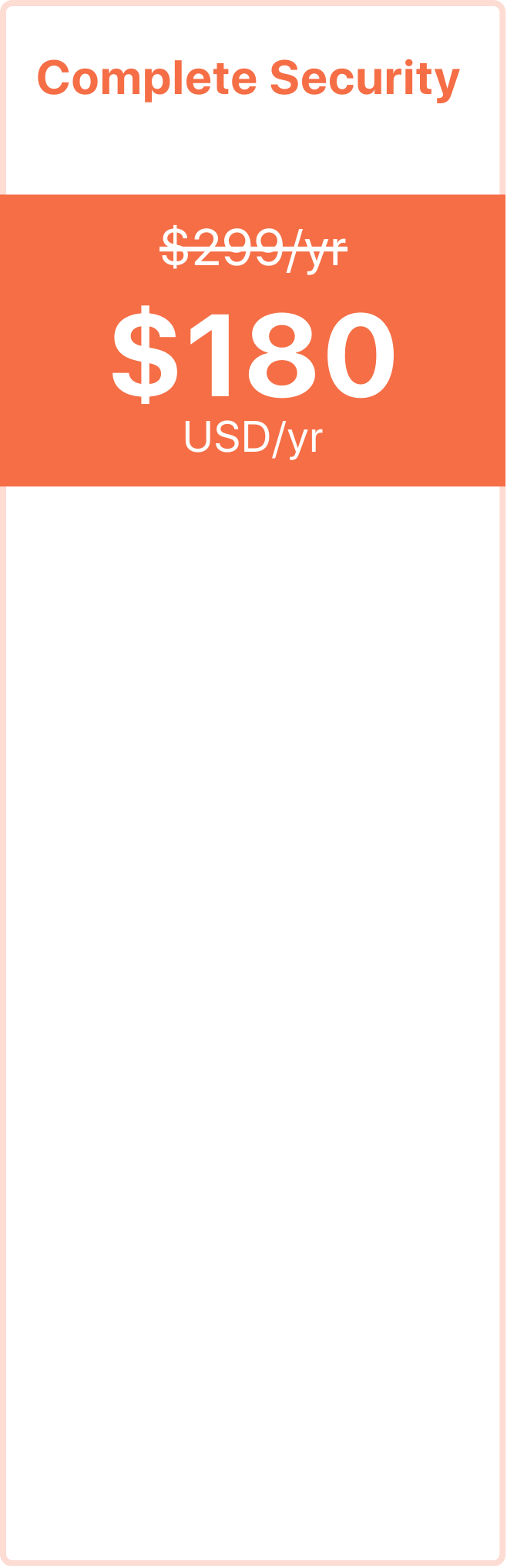
Complete WordPress Security— now Flat 40% off

Malcare detects, defends & defeats any threat
to your site. In 2025, we’ve protected 250k
sites from 20B attacks. Don’t miss this
chance to try our premium features!

Click to play video

Only for new users

Image Image Image Image Image

Trusted by over 400,000+ Websites across 12 countries

Already Hacked?
Best deal for you.

Your website feels safe with your host or free plugin taking daily backups.
And you would be right, if this was 2009

Other plugins charge twice as much, make you wait 8 hours (or more) and don’t cover reinfections.

MalCare cleans within minutes, guarantees against reinfection,and is now even more affordable — at 40% Off

Today’s websites are 120% heavier, filled with builders, products, and videos. But your backups, are still using 15 year old processes.

These processes were great, but were not meant to deal with sites that easily get bigger than a flash drive from 2009.

Resulting in a lot of failed backups
But that's still not the worst part.

Yup, we even tested it!

The worst part of a failed backup, other than the lack of one, is that these plugins don't even inform you if a backup fails.

You can go on for months without realising that you’re relying on a
failed or a corrupt backup.

Updraft plus backups 4KB out of a 4GB site and
calls it a successful backup...

And your user experience is taking the hit

Even if the backups don't fail (luckily), your website is definitely slowing down.

This is because these backups are saved on the same server as your site, where both compete for resources and your site always loses.

Here’s a Bluehost server showing huge spike during backups.

We tested it on a $6k hosting platform, Pantheon. And ran a backup for a 100GB site.

  • UpdraftPlus – failed after 30 minutes
  • BlogVault – Backed up in 70 minutes

We spent $6,600 just to test this..

This happens because your website and your backup plugin are in a constant tug of war, fighting for server bandwidth.

This struggle for server resources causes timeouts and incomplete backups,
even if your site is around 400-500MB.

But, let's not be so pessimistic.
Let's say you do have a good backup...

To test this, we tried restoring a 1GB backup on cPanel. Which, it also failed at...

And even when it worked, it took plugins like Jetpack
36 hours to restore a 1.2GB site

source

Click to play video

"I was on the beach with my family, when
MalCare notified me of a plugin vulnerability
across 50 of my sites. With just one click on
my smartphone, all sites were fixed within
minutes! Their powerful features have given
me real peace of mind."

Paul Lacey

WordPress Expert, Designer, Podcaster & Guinness World Record Holder

Every Essential Security Feature for Peace of Mind

Your website feels safe with your host or free plugin taking daily backups.
And you would be right, if this was 2009

MalCare has 40+ Features to protect every inch of your site. The best part is, all this is automated. Set it up in 5 minutes & it’ll start blocking attacks, only alerting you when something truly needs attention.

Today’s websites are 120% heavier, filled with builders, products, and videos. But your backups, are still using 15 year old processes.

These processes were great, but were not meant to deal with sites that easily get bigger than a flash drive from 2009.

Resulting in a lot of failed backups
But that's still not the worst part.

Yup, we even tested it!

The worst part of a failed backup, other than the lack of one, is that these plugins don't even inform you if a backup fails.

You can go on for months without realising that you’re relying on a
failed or a corrupt backup.

Updraft plus backups 4KB out of a 4GB site and
calls it a successful backup...

And your user experience is taking the hit

Even if the backups don't fail (luckily), your website is definitely slowing down.

This is because these backups are saved on the same server as your site, where both compete for resources and your site always loses.

Here’s a Bluehost server showing huge spike during backups.

We tested it on a $6k hosting platform, Pantheon. And ran a backup for a 100GB site.

  • UpdraftPlus – failed after 30 minutes
  • BlogVault – Backed up in 70 minutes

We spent $6,600 just to test this..

This happens because your website and your backup plugin are in a constant tug of war, fighting for server bandwidth.

This struggle for server resources causes timeouts and incomplete backups,
even if your site is around 400-500MB.

But, let's not be so pessimistic.
Let's say you do have a good backup...

To test this, we tried restoring a 1GB backup on cPanel. Which, it also failed at...

And even when it worked, it took plugins like Jetpack
36 hours to restore a 1.2GB site

source

Your website feels safe with your host or free plugin taking daily backups.
And you would be right, if this was 2009

Today’s websites are 120% heavier, filled with builders, products, and videos. But your backups, are still using 15 year old processes.

These processes were great, but were not meant to deal with sites that easily get bigger than a flash drive from 2009.

Resulting in a lot of failed backups
But that's still not the worst part.

Yup, we even tested it!

The worst part of a failed backup, other than the lack of one, is that these plugins don't even inform you if a backup fails.

You can go on for months without realising that you’re relying on a
failed or a corrupt backup.

Updraft plus backups 4KB out of a 4GB site and
calls it a successful backup...

And your user experience is taking the hit

Even if the backups don't fail (luckily), your website is definitely slowing down.

This is because these backups are saved on the same server as your site, where both compete for resources and your site always loses.

Here’s a Bluehost server showing huge spike during backups.

We tested it on a $6k hosting platform, Pantheon. And ran a backup for a 100GB site.

  • UpdraftPlus – failed after 30 minutes
  • BlogVault – Backed up in 70 minutes

We spent $6,600 just to test this..

This happens because your website and your backup plugin are in a constant tug of war, fighting for server bandwidth.

This struggle for server resources causes timeouts and incomplete backups,
even if your site is around 400-500MB.

But, let's not be so pessimistic.
Let's say you do have a good backup...

To test this, we tried restoring a 1GB backup on cPanel. Which, it also failed at...

And even when it worked, it took plugins like Jetpack
36 hours to restore a 1.2GB site

source

Save Big on
Premium Security

This is our only sale of the year!

Your website feels safe with your host or free plugin taking daily backups.
And you would be right, if this was 2009

Today’s websites are 120% heavier, filled with builders, products, and videos. But your backups, are still using 15 year old processes.

These processes were great, but were not meant to deal with sites that easily get bigger than a flash drive from 2009.

Resulting in a lot of failed backups
But that's still not the worst part.

Yup, we even tested it!

The worst part of a failed backup, other than the lack of one, is that these plugins don't even inform you if a backup fails.

You can go on for months without realising that you’re relying on a
failed or a corrupt backup.

Updraft plus backups 4KB out of a 4GB site and
calls it a successful backup...

And your user experience is taking the hit

Even if the backups don't fail (luckily), your website is definitely slowing down.

This is because these backups are saved on the same server as your site, where both compete for resources and your site always loses.

Here’s a Bluehost server showing huge spike during backups.

We tested it on a $6k hosting platform, Pantheon. And ran a backup for a 100GB site.

  • UpdraftPlus – failed after 30 minutes
  • BlogVault – Backed up in 70 minutes

We spent $6,600 just to test this..

This happens because your website and your backup plugin are in a constant tug of war, fighting for server bandwidth.

This struggle for server resources causes timeouts and incomplete backups,
even if your site is around 400-500MB.

But, let's not be so pessimistic.
Let's say you do have a good backup...

To test this, we tried restoring a 1GB backup on cPanel. Which, it also failed at...

And even when it worked, it took plugins like Jetpack
36 hours to restore a 1.2GB site

source

Got any doubts?
Our Experts reply ASAP

Just email us on support@malcare.com